

Vehicle documents by QR code
Vehicle QR for fleets
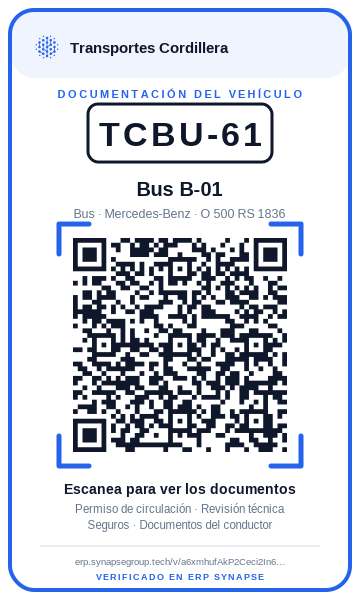
A QR card on every truck. The site guard, an inspector or the principal scans it and sees on their phone the vehicle’s and the driver’s current documents, with no account and nothing to install.
What happens today
The folder in the cab
The documents travel on paper: they get wet, get lost or are out of date.
Stopped at the gate
The truck reaches the site and can’t get in because a document is missing or nobody can find it.
Sending the same thing by email
Every principal asks for the same folder, again and again, by email or WhatsApp.
How it works
Scan, view, enter.
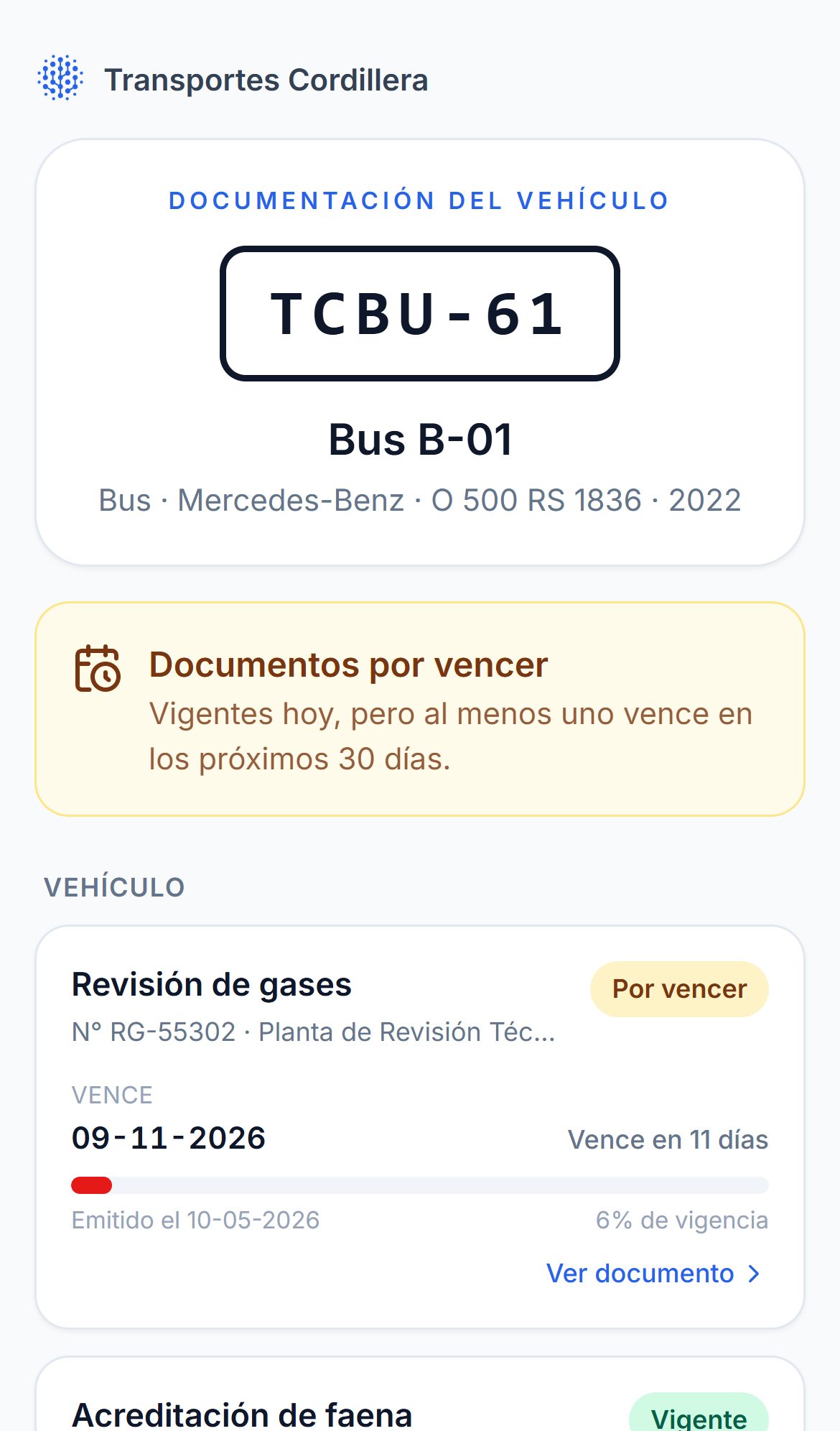
You upload each document with its expiry date and print the vehicle’s card. Whoever scans the QR code sees only the documents you marked as public, with their status: valid, about to expire or expired. If the driver on the current order changes, the page shows the new driver’s documents.
- One printable card per vehicle
- No account or app for whoever scans it
- Vehicle and driver documents
- The status of every document at a glance
- The link can be revoked and generated again
- Alert 30 days before each expiry
In the office
The list of what expires, before it expires.
The same documents feed the compliance view: what has expired, what expires soon and which unit or person it belongs to.

Frequently asked questions
Vehicle QR: what people ask us.
What does the person scanning the QR code see?
The vehicle’s license plate and model, and the documents you marked as public, each with its number, issuer, expiry date and status. Also the documents of the driver on the current service order. They can open each document’s file.
Do they need to install an app?
No. The phone’s camera is enough: the QR code opens a web page. There is no need to create an account or sign in.
What happens when a document expires?
The page shows it as expired. Before that, Synapse alerts you 30 days ahead of the expiry so you have time to renew it.
Can a QR code be deactivated?
Yes. Each vehicle has one active link; you can revoke it and generate a new one, for example if the truck is sold or the card is lost. The previous QR code stops working.
Which documents can be shown?
The ones you define: circulation permit, technical inspection, insurance, equipment certifications, site accreditations and driver documents. Only the ones you mark as public are visible.
Does it work for staff transport buses?
Yes. It works the same for trucks, machinery, buses and pickups: each vehicle with its card and its documents.
Keep reading
Let’s talk
A QR card on every truck, starting next week.
We load your vehicles and their documents, and you print the cards.
WhatsApp +56 9 9895 3042