

Equipment planning
Fleet and heavy machinery scheduling
The whole fleet on a weekly board: which unit is free, which is committed, which is in maintenance and which has an expired document, before confirming a service.
What happens today
The same unit, twice
Sales confirms a unit that operations had already assigned to another site.
Idle units nobody offers
There are free units nobody sees, because availability lives in a spreadsheet.
The maintenance nobody saw
The unit was committed the week it was due in the workshop.
The board
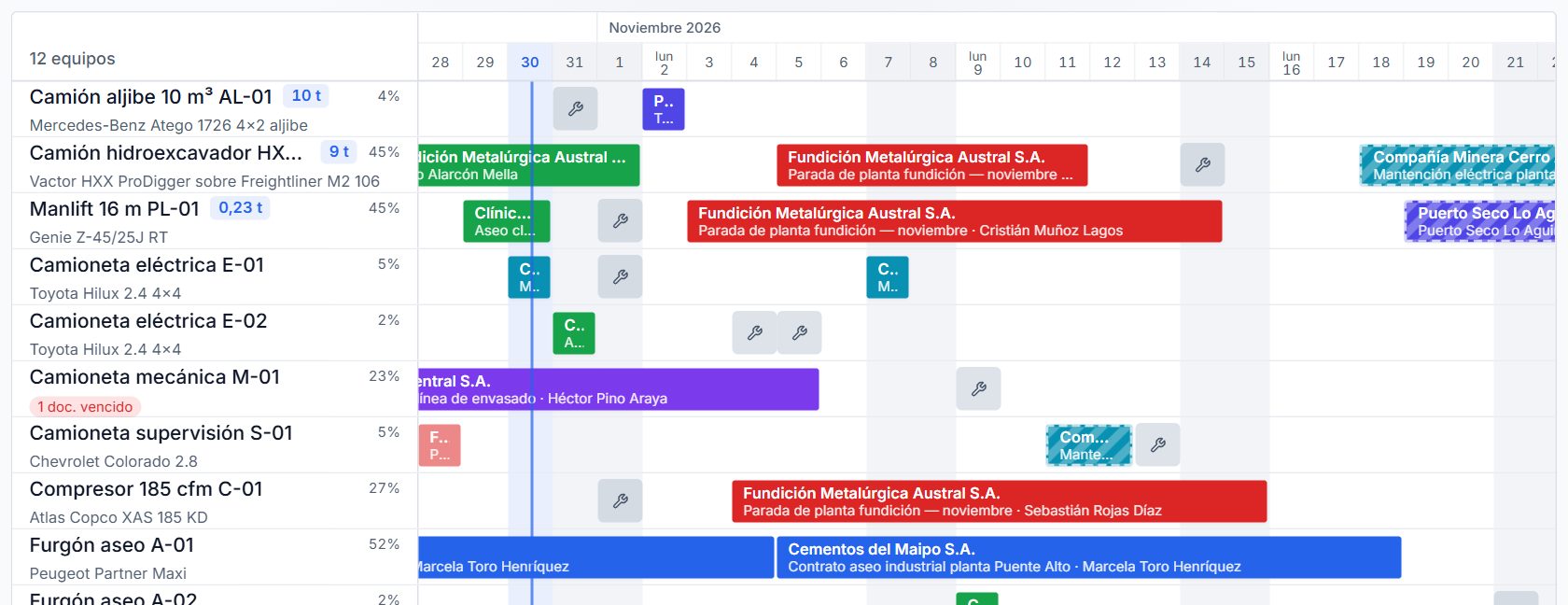
Every unit with its week, visible to everyone.
- Confirmed services by client, in color
- Tentative quotes hatched until they are approved
- Clashes between orders flagged before confirming
- Maintenance and expired documents on the unit’s row
- Utilization of each unit over the period
- Drag a service to change its date or unit
The right unit
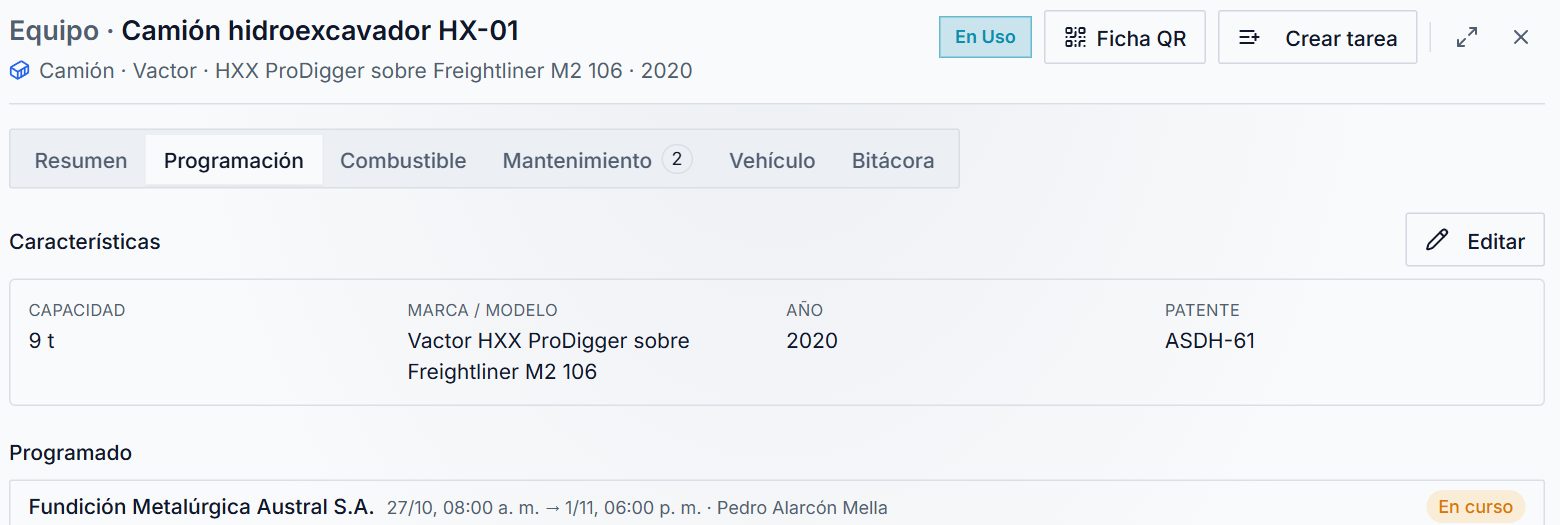
Filter by type and capacity, not from memory.
Each unit has its spec sheet: capacity, configuration and dimensions. The board can be filtered by type and minimum capacity to find the unit that fits the job.
From the board to the money
What is scheduled ends up on the invoice.
Every bar on the board is a service order. When the unit works, the signed daily report feeds the payment statement and the invoice, and work done but not yet billed stays in plain sight.
- Quote
- Scheduling
- Signed report
- Payment statement
- Invoice

Frequently asked questions
Fleet scheduling: what people ask us.
How is it different from maintenance software?
Maintenance software plans the workshop. Fleet scheduling plans each unit’s commercial work: which service it does, for which client and when. In Synapse, maintenance appears on the same board so a unit headed for the workshop isn’t committed.
Can a service be moved to another unit or date?
Yes. You drag the bar to another row or date, and stretch its edges to change the duration. If the change clashes with another service, the board flags it.
Does it show quotes that aren’t confirmed?
Yes, as hatched tentative bookings. That way you can see which unit could end up committed if the client approves.
Does it work for trucks, machinery and crews?
Yes. The board is the same for any type of unit; the filters and the spec sheet change by type.
Does it connect to the units’ GPS?
Yes. Units with GPS show their location and hour meter, and fuel and hours are cross-checked against the daily reports.
Keep reading
Let’s talk
Bring your scheduling spreadsheet. We’ll show it to you on the board.
We load your units and the orders for the coming weeks.
WhatsApp +56 9 9895 3042